Release Process with CICD
Frontend Release Process
-
Make Necessary Changes
- Implement all required changes in the codebase.
-
Update Version in
pubspec.yaml- Update the version field in
pubspec.yamlto reflect the new release.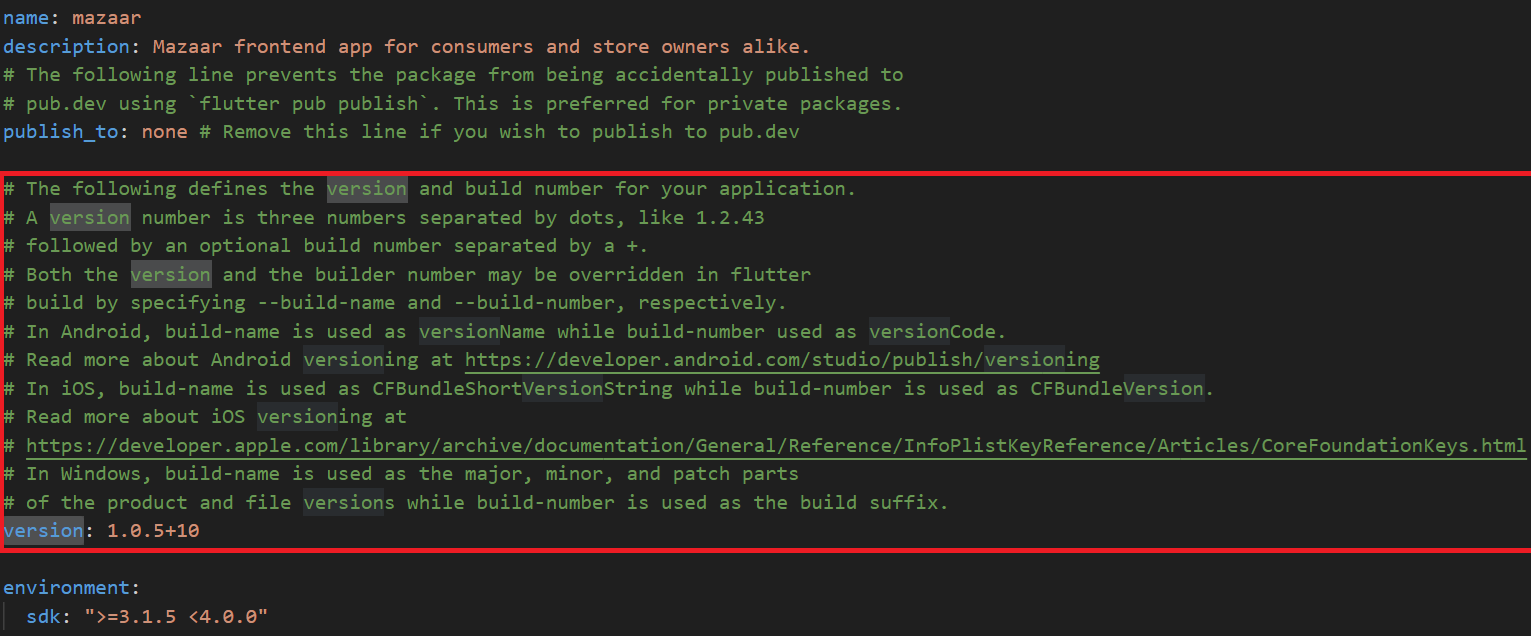
- Update the version field in
-
Add Relevant Assets
- Insert the required images or other assets.
-
Push to Main Branch
- Commit and push the changes to the
mainbranch.
- Commit and push the changes to the
-
Create a Release Branch
- Branch off of
mainusing the valid branch naming convention:
Release-v[0-9]+.[0-9]+.[0-9]+-[0-9]+ - The build number must always increase;
v1.0.5-10the build version is10 - Example:
Release-v1.0.0-1
tipMake sure a valid runner is avalible for the action to run on.
- Branch off of
-
Handle Errors
Linux Action Runner
In order to run GitHub Actions, you will need a Linux runner that meets the requirements. The runner we use is a Virtual Machine (VM) with the tags: self-hosted, Linux.
Steps to Set Up
-
Install Oracle VM VirtualBox
You will need Oracle VM VirtualBox installed on your machine. You can download it from the official website:
-
Download the VM Image
warningThis download is 20GB, and it may take about 5 minutes to uncompress.
Download the VM image from the link below:
-
Add the VM to VirtualBox
-
Open VirtualBox and go to
Machine > Add. -
Select the
.vboxfile from the downloaded VM. -
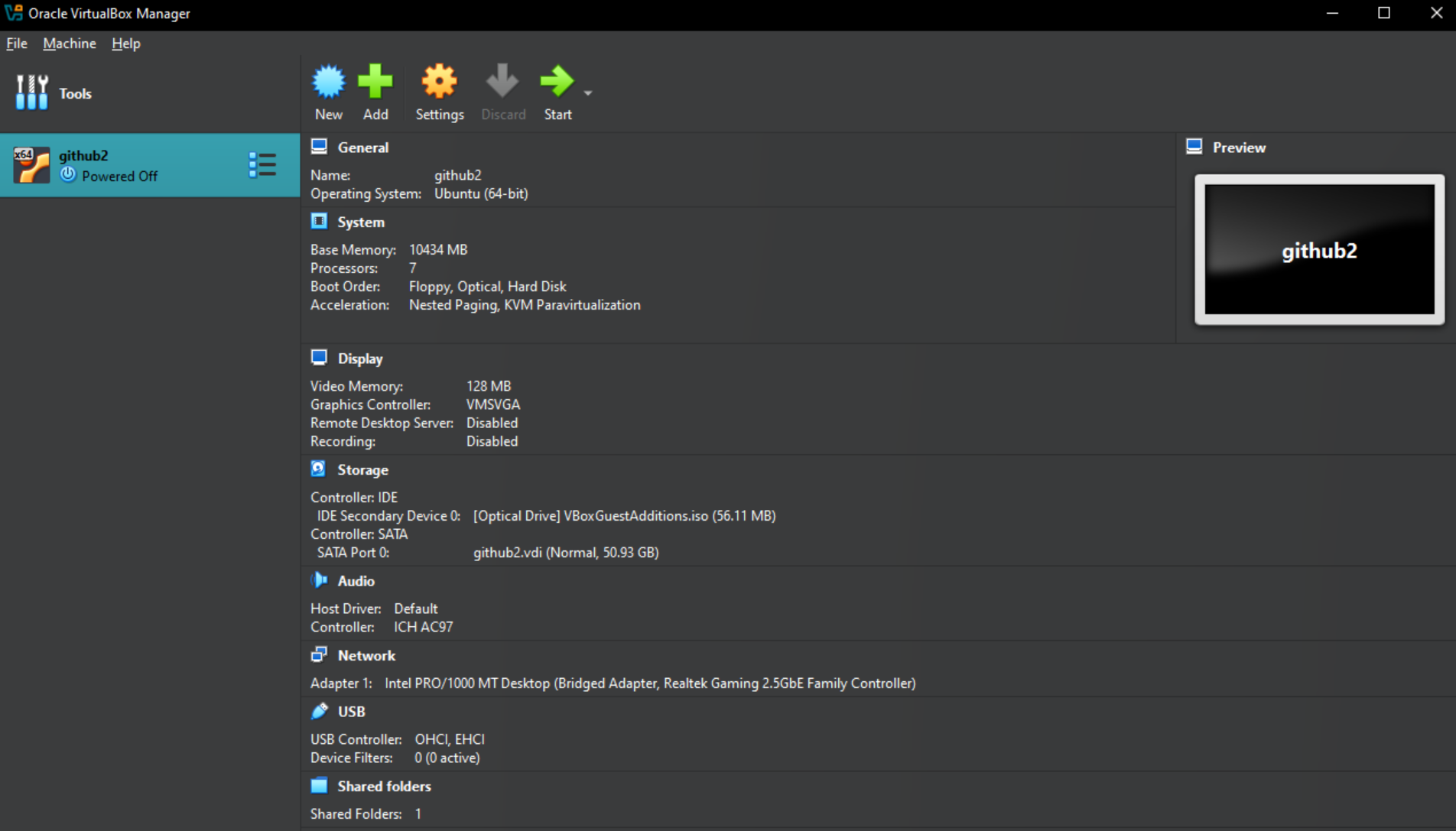
Your setup should look like the screenshot below:
-
-
Boot the VM
- Start the VM.
infoIf you encounter errors regarding the shared folder not being found, don't worry about it. It won't affect the runner setup.
-
Login and Navigate to the Runner Folder
-
Log in with the
rootpassword. -
Navigate to the runner folder by going to
documents/runner/actions-runner
-
-
Run the Runner
-
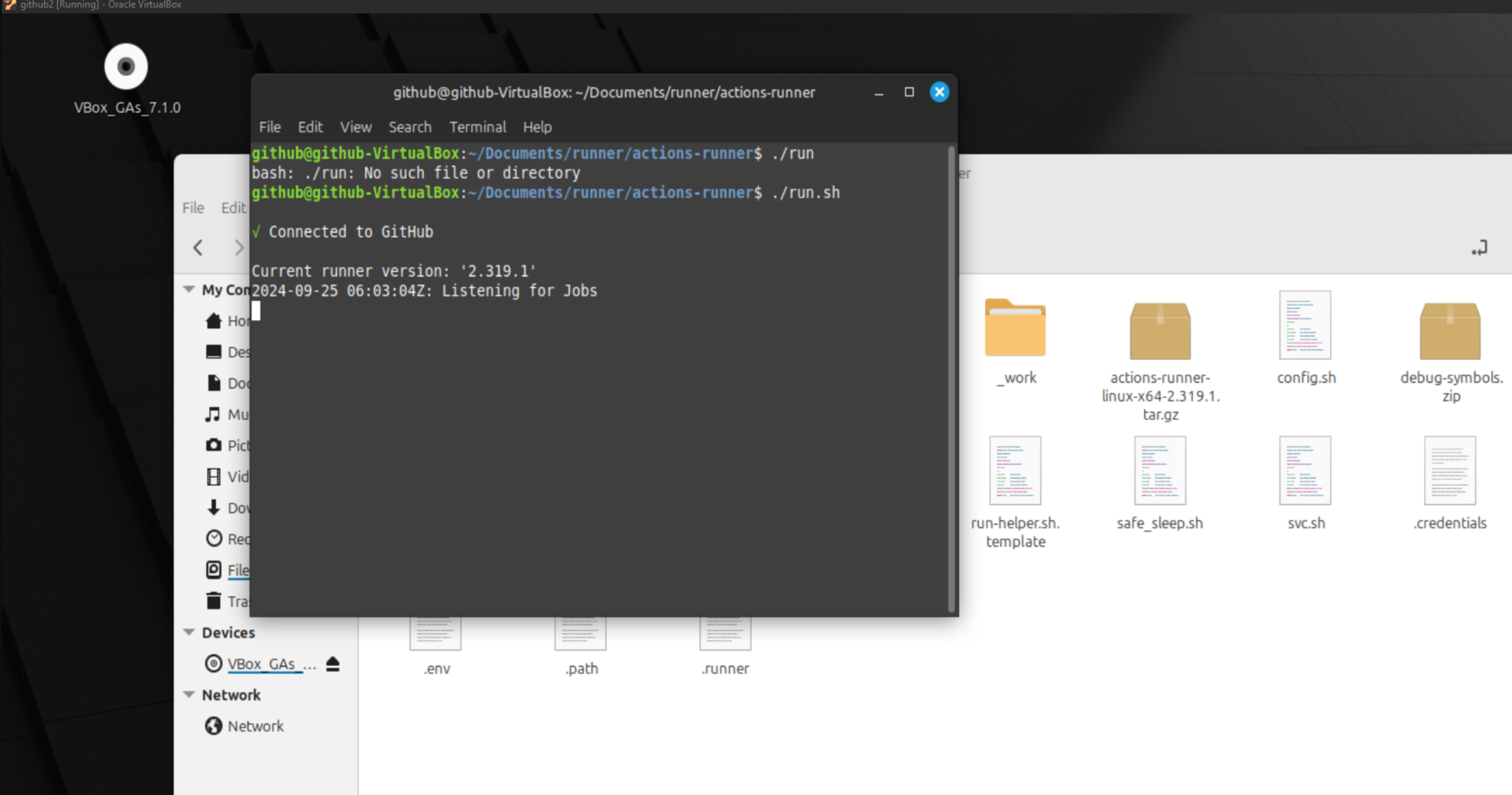
Inside the runner folder, run the
run.shscript. -
If everything is set up correctly, your actions should appear like the following:
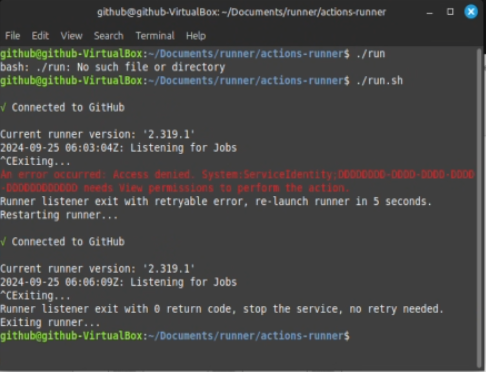
dangerUse only one VM at a time, or you may encounter permission errors.
-
-
GitHub Actions Runners Settings
-
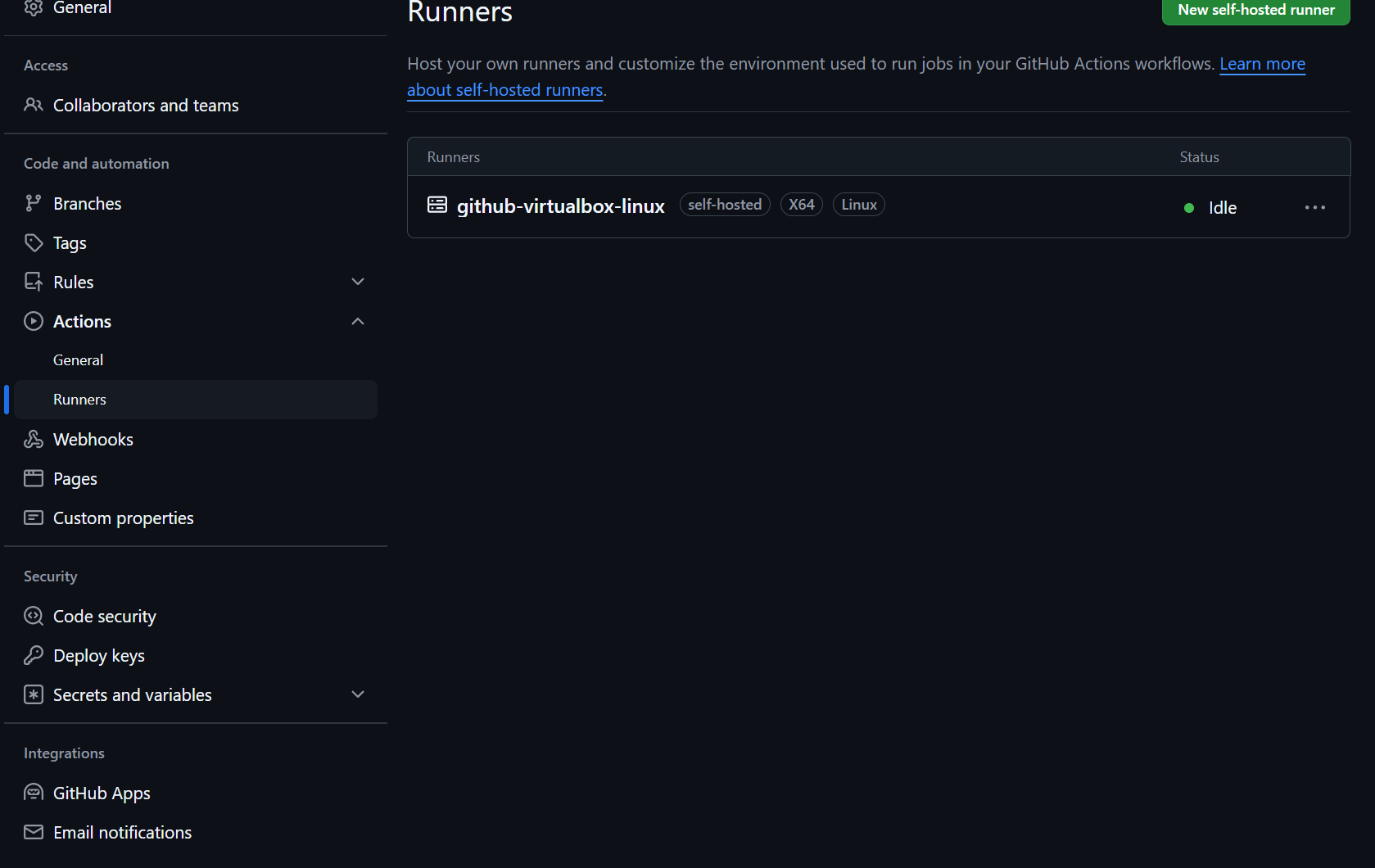
You can manage the runner settings on your GitHub repository by navigating to:
GitHub Actions Runners Settings
-