🔄 Code cycle
This document will outline how to code up a feature, with the git features in features. In this case we will go over an issue, tech debt. This specific case we are just renaming some basic files and constants.
🌿 Create a branch
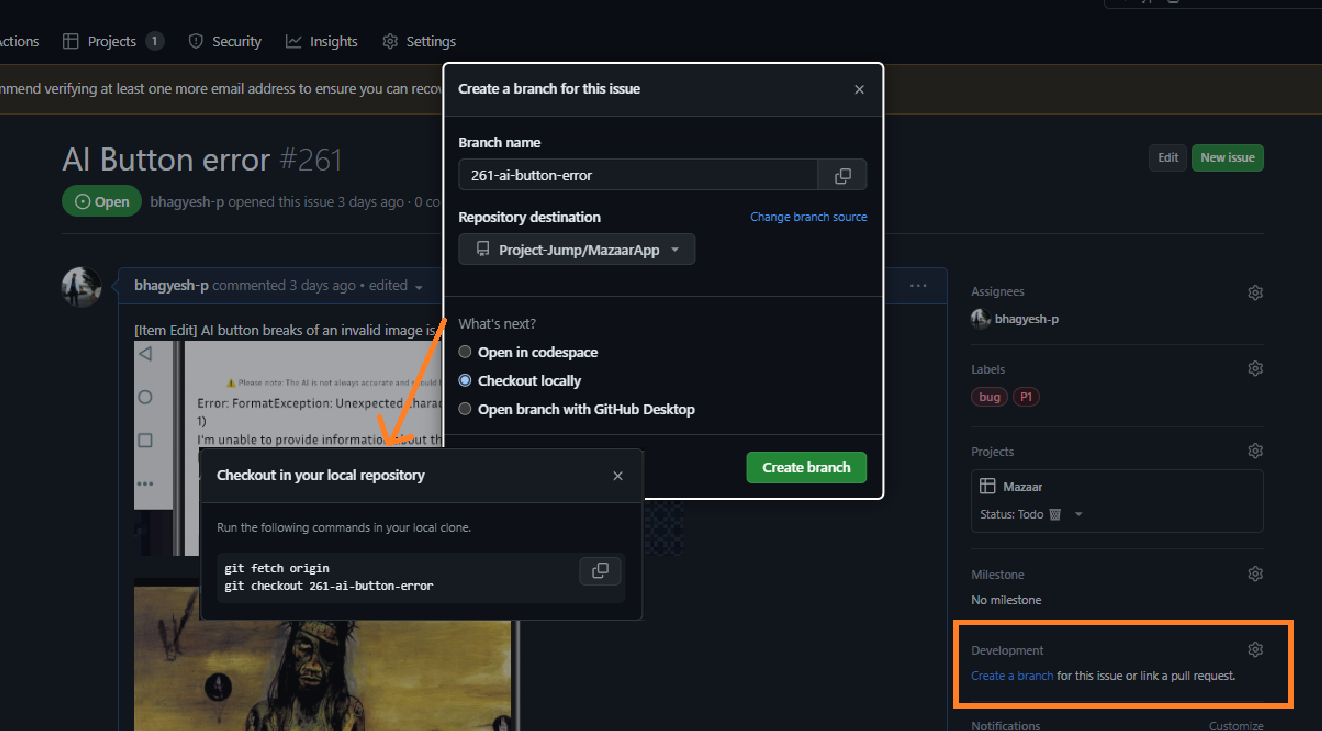
You can create your own branch but its better if you have one made from the issue. Why is it better? Its so its linked to the item right off the bat, you dont have to manually mention it when you have a merge request. On top of that the creation of the branch is stated in the timeline of the issue item.
(go to a issue -> drop down on "Create merge request" -> Create branch)
💻 Work locally
🔍 Get the branch locally
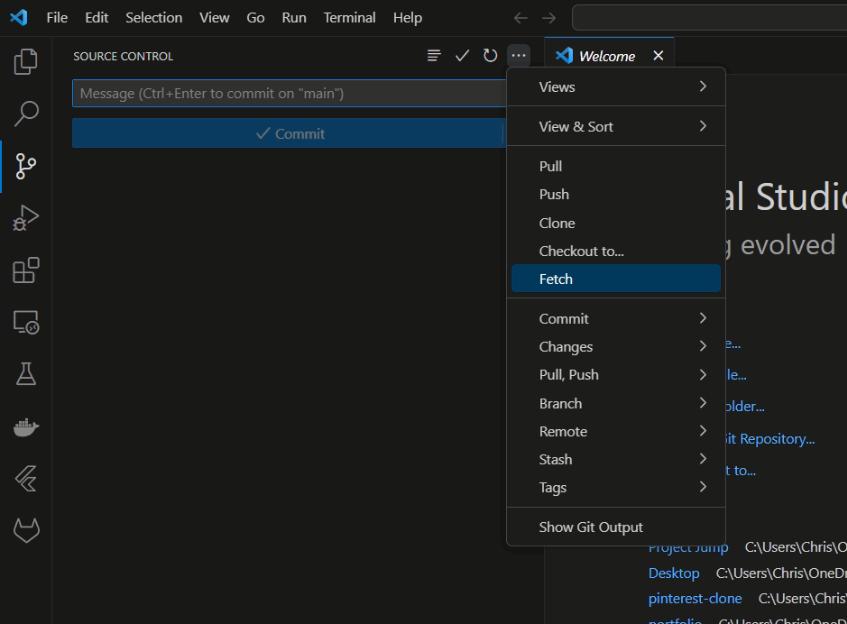
In order to get some work down, we need to get the branch locally. Go ahead and fetch for said branch. Or run git fetch --all.
✏️ Make changes
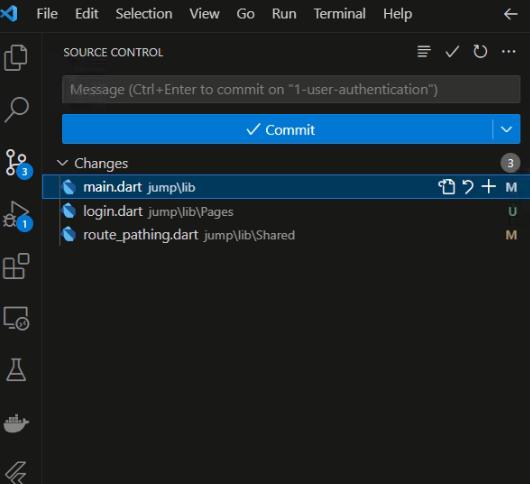
Make the changes locally and then make sure they are part of the commit. Make sure not to add any generated files! Make sure you add a brief description on what this commit was for. You may want to commit multiple smaller changes, its more bite size. Alternatively you can use the cmd:
git add . // Adds all files that have been modified to changes
git commit -m "YOUR COMMIT MESSAGE HERE"
🚀 Push changes
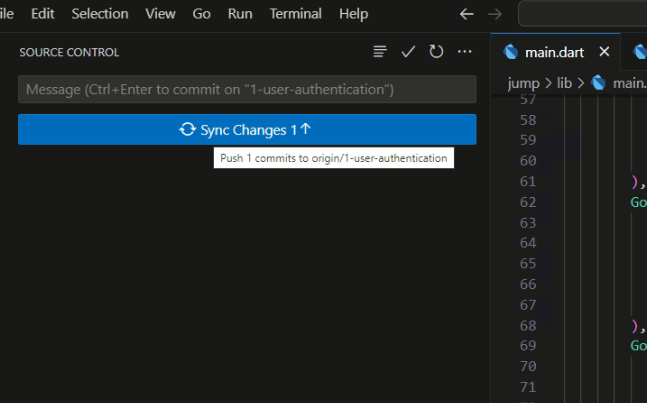
If you are using the GUI then done forget to push the changes.
Alternatively you can use the cmd git push.
🔀 Create merge request
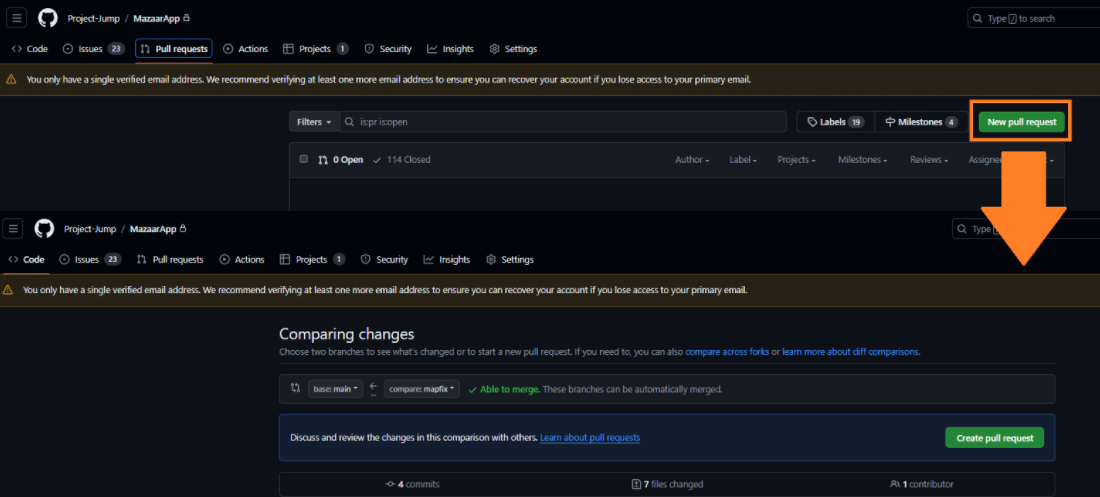
Once all your changes have been pushed to the branch, you will want to merge then in. We can do so with a merge request. A merge request will require someone else to look at your existing changes and approve it, look here for more details. To do so head over to gitlab and the project area, you'll likly see a banner saying you have pushed your changed and a blue merge request, hit that button!
You can alternativly go to the Merge Request tab and create it there, just select your branch to go into main!
➕ Add more commits
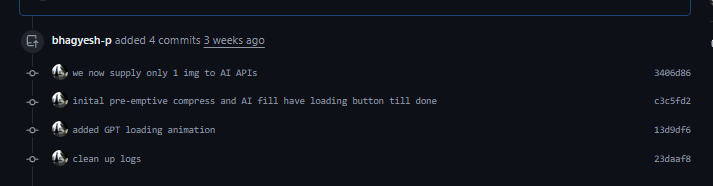
As you get your request reviewed, its likely that you have to make changes. Make then on the same branch, commit them, and see them pop up on the merge request with their respective message,
🧹 Issue clean up
At last we need to clean up! Please go to your issue and add the label Merged and make sure on the issue board it has been marked as done.